Daily Reporting: Date Filter Guide
This guide walks you through how date filters work in the Daily report and how to adjust them to compare performance across specific days.
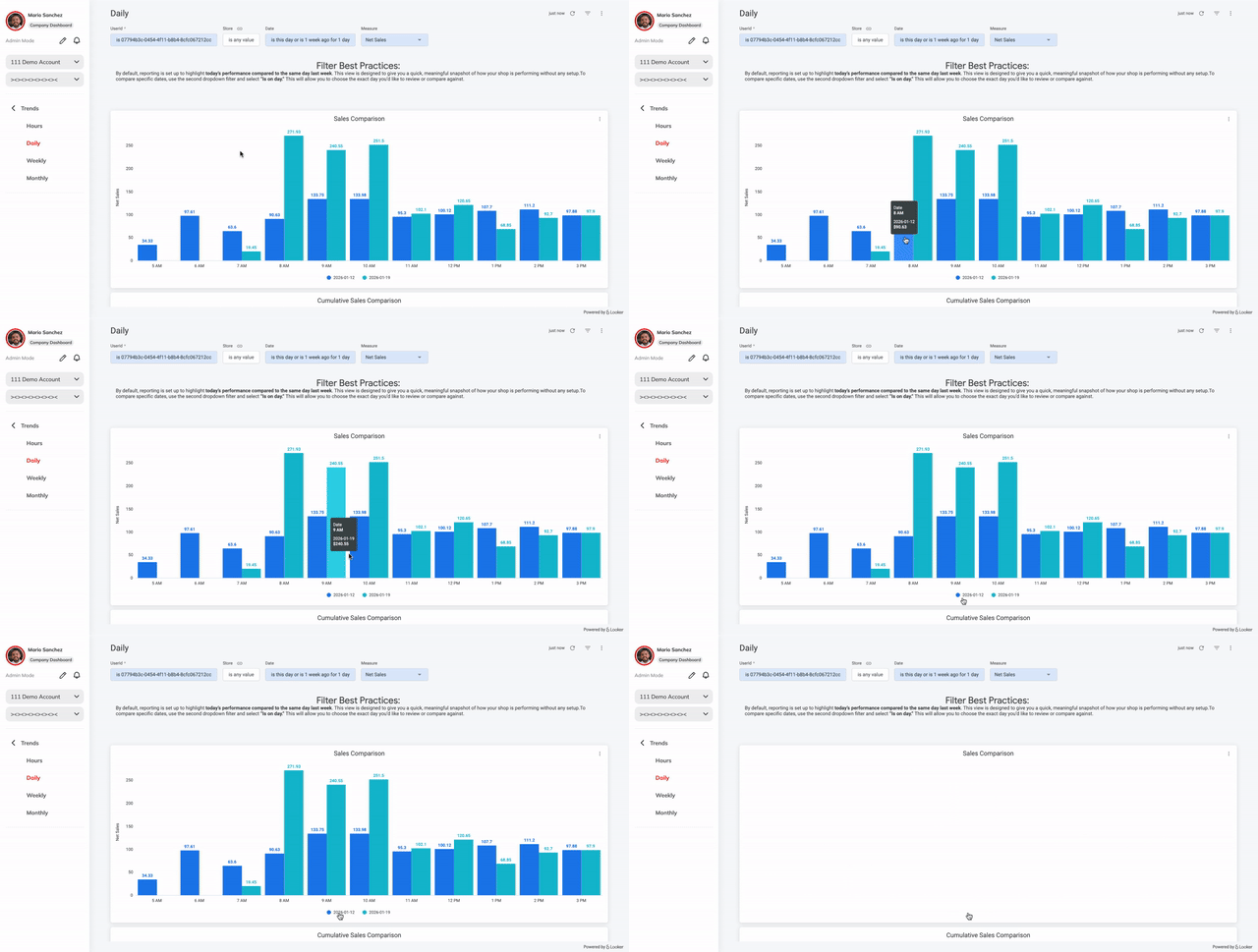
Default Behavior (What You See First)
When you first land on the Daily report, the date filter is preconfigured to show:
- Today
- Compared to the same day last week
This default view is designed to give you a quick snapshot of how your shop is performing today versus a comparable day.
How to Compare a Specific Day
To compare a specific date, follow these steps:
- Locate the Date filter at the top of the report.
- In the second dropdown (defaulted to “Is”), click to view available options.
- Select “Is on the day.”
- Choose the date you want to review or compare.
Once selected, the report will update to show data for the exact day you’ve chosen.
Understanding Common Date Filter Options
“Is this” + “day”
- This combination represents Today.
- It automatically updates each day and is best for real-time performance checks.
“Is on the day”
- Allows you to select any specific calendar date.
- Best used when reviewing historical performance or comparing exact days.
“Is on this day”
- Lets you compare performance on the same calendar day across different periods.
- Helpful for looking at patterns tied to specific dates.
Example Use Cases
- Check today’s performance: Keep the default Is this → day setting.
- Review last Monday’s sales: Switch to Is on the day and select the date.
- Compare a specific holiday year-over-year: Use Is on this day.
Date Filter Glossary
| Filter Option | Meaning |
|---|---|
| Is this | The current time period (e.g., today, this week) |
| Day | A single calendar day |
| Is on the day | A specific date you manually select |
| Is on this day | The same calendar date across periods |
| Is in range | A custom date range |
| Is before / Is after | Data before or after a selected date |
Helpful Tip
If you’re ever unsure which filter to use, start with the default view. It’s designed to surface meaningful insights quickly, and you can always refine your date selection as you get more comfortable exploring reports.